

SMS
Sending
The installer registers the provider «Telfa SMS». In the CRM, choose that provider to send an SMS through your Telfa account. Telfa bills the message. The app needs a number that has an SMS gateway; the webhook dialog says «SMS webhook can be enabled» or that there is no SMS gateway.
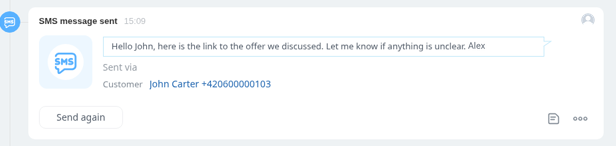
The text of a message you send is used for that send. A successful CRM record lives in your Bitrix24.
A received SMS
«How to show a received SMS in Bitrix24» has two modes:
- «Activity to handle» — someone should work the message.
- «Information only (recommended)» — the message is a record, not a task.
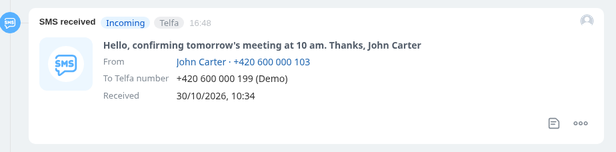
The card is «SMS». Messages that could not be written are under «SMS that could not be written» and are described in Calls and SMS that could not be written.
If an SMS does not arrive
Check the gateway note on the number, the token, and the failed-SMS list. The 30-day deletion applies only to rows that never got written.