Click-to-call
Call a CRM number from Bitrix24. The call goes through your Telfa account, not through a SIP connector.

 Telfa — telephony in Bitrix24
Telfa PBX in Bitrix24 — calls, call cards, SMS and operator tools without a SIP connector.
Anyone who uses a Telfa PBX and Bitrix24 CRM. An administrator installs the app. Operators use the call card and the status panel.
Call a CRM number from Bitrix24. The call goes through your Telfa account, not through a SIP connector.
A finished call becomes a CRM activity. A missed call is included only when logging missed calls is on. A recording can be attached to that activity.
New calls are written as they finish. Older calls can be filled in once, or imported further back.
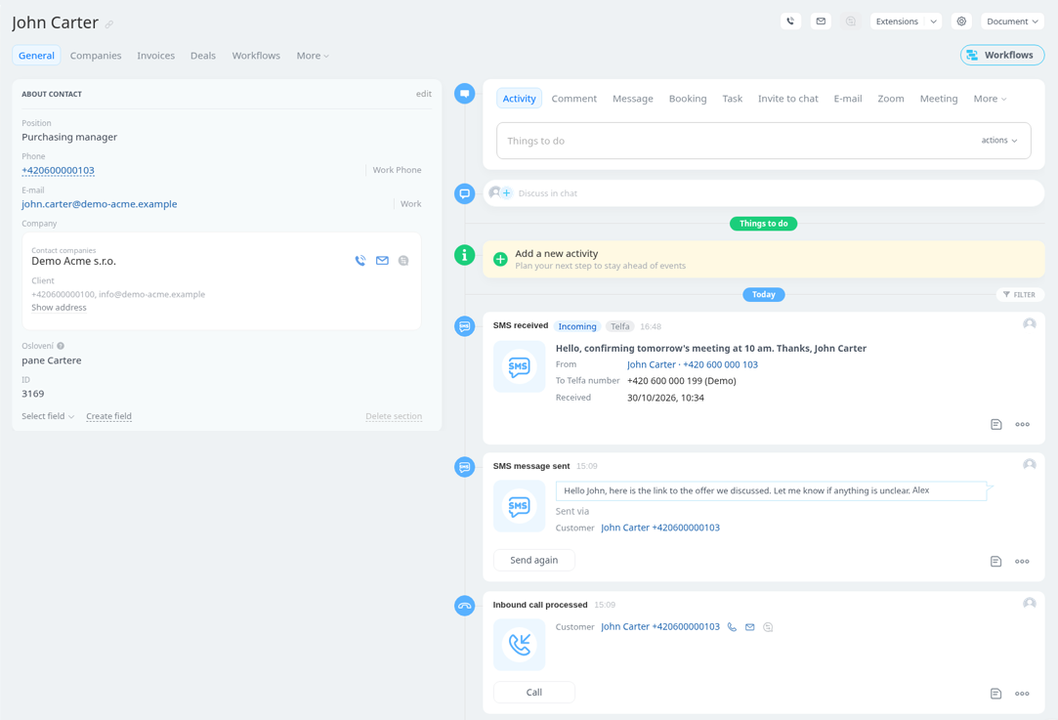
Send SMS from CRM with the Telfa SMS provider. A received SMS can be an information card or an activity to handle.
When Bitrix24 did not accept a call or an SMS, the app keeps it in a list so you can see what is waiting.
Clock in, break and clock out stay in step with Telfa and Bitrix24 working time. The extra Telfa pause can redirect to a mobile.
An administrator sets call groups and queues in Bitrix24. The step that continues with the plan is added in Telfa.
Pairing stays in the wizard. An administrator sets Telfa users, the mobile and the outbound number from Bitrix24.
Contacts and companies from the CRM can be copied into the Telfa phone book. It is turned on for the portal on request through vJednom support. After that, the administrator chooses in the app whether contacts, companies, or both are copied.
One language for the whole portal. An administrator switches it. A new portal without a choice stays Czech.
The Bitrix24 Market listing is free. Payment for running the app is an external service and is billed outside the Market. vJednom s.r.o. sends an invoice after you order.
The first 30 days from the first installation on a Bitrix24 portal are free. Installing again on the same portal does not start that period over. After that period, continued use requires a paid licence according to the published price list.
The annual licence is EUR 120 (EUR 10 per month) or CZK 3,000 (CZK 250 per month), and the monthly licence is EUR 14 or CZK 350. Prices exclude VAT.
Add the app to the portal. The installer registers the telephony line and the SMS provider.
Create an API token in the Telfa administration and check the connection in the app.
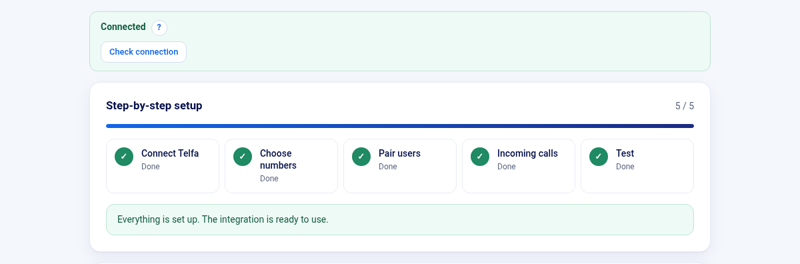
Choose numbers, pair users, set incoming calls, and run the test. The steps are in the setup wizard.
In the Telfa administration, as an API token. Paste it into «Telfa API token» and use «Check connection». The chapter Connection key describes which key is needed and what an invalid key means.
Telfa numbers stay in Telfa. The webhook addresses we added are removed. The key is removed from our server. An encrypted copy is kept for at most 14 days only if Telfa was unreachable, so those addresses can still be removed. CRM activities stay in Bitrix24.
The Bitrix24 Market listing is free. The first 30 days from the first installation on a Bitrix24 portal are free. Installing again on the same portal does not start that period over. After that period, continued use requires a paid licence according to the published price list. The annual licence is EUR 120 (EUR 10 per month) or CZK 3,000 (CZK 250 per month), and the monthly licence is EUR 14 or CZK 350. Prices exclude VAT. vJednom s.r.o. sends an invoice after you order. You can place the order on the order page.
Support hours: Monday to Friday, 9:00–17:00 CET. Response within 72 hours.